
Did you know? Local businesses with a fully optimized Google Business Profile see up to 70% more website visits and 50% more lead calls than those with incomplete listings

What You’ll Learn in This Google Business Profile Optimization Guide
- The most damaging ‘leaky bucket’ problems in your Google Business Profile
- Step-by-step approach to Google Business Profile Optimization that drives leads
- Why speed-to-lead and systemized follow-through matter more than hype
- Actionable, conversion-focused tips for local ranking improvement
- What success looks like—and how to measure it
The Hidden Leak: Why Google Business Profile Optimization Matters for Local Service Businesses
“Businesses with fully optimized Google Business Profiles see as much as 70% more site visits and 50% more lead calls compared to those with incomplete listings.”
Local remodelers, painters, and cleaning companies often lose jobs not because their ads aren’t fancy enough, but because their Google Business Profile acts like a leaky bucket—losing visibility, phone calls, and trust every day. Google Business Profile Optimization is the plug. In markets like St. Louis, Albuquerque, and Las Vegas, your profile is your front door: it determines who finds you on Google Maps and whether you show up near the top of local search results.
Why does this matter? When potential customers search “painter near me” or “kitchen remodeler Silicon Valley,” Google looks for more than just a business name
From Missed Calls to Booked Jobs: Your Business Profile as a Growth Engine
Investing in Google Business Profile Optimization converts your listing from a static digital business card into a true growth system. Imagine a scenario where every call shows up quickly, customer reviews are answered within hours, and updated photos instantly build trust with prospects. These are the “speed-to-lead” and automation advantages that separate top-performing small businesses from the pack.
Your Google Business Profile isn’t just about visibility—it’s about operational reliability. Systems that route inquiries, send instant replies, and organize reviews help your team respond in real time and keep your local ranking rising. By approaching your profile like an engine instead of an afterthought, you set the stage for booked jobs and measurable growth.

Diagnose Before You Prescribe: Identifying Leaks in Your Google Business Profile
- Incomplete business information (address, phone number, hours)
- Outdated photos or business description
- Slow response to reviews and messages
- Multiple, unclaimed, or duplicate business profiles
- Unmonitored Google Maps placement and accuracy
Before you jump into solutions, let’s diagnose the problem. Incomplete or inconsistent NAP (Name, Address, Phone Number) details signal to Google—and customers—that your business isn’t responsive or reliable. Outdated photos or a stale business description undercut trust and local search ranking. Leaving reviews or messages unanswered is another leak: it tells both the search algorithm and potential clients that your follow-up may be lacking.
Duplicate or unclaimed profiles confuse Google, lowering your local rank and costing you leads in competitive metros. If your business profile appears in the wrong spot on Google Maps, customers may simply give up. Optimization isn’t about hype or fancy tools—it’s about plugging the holes and restoring confidence in every digital touchpoint.
The Step-by-Step Sequence: Google Business Profile Optimization for Sustainable Growth
1. Claim and Verify Your Google My Business Profile
- Why verification matters: Google uses verification to confirm your business exists at its stated address, a key ranking factor for legit local businesses.
- How to verify: Log into your Google account, search for your business, and select “Claim this Business.” Google will prompt you to verify via postcard, phone, or email. Follow instructions carefully—missing a step can delay your visibility for days or weeks.
- Common pitfalls: Don’t skip verifying additional locations or fall for duplicate listings. If you hit an error or see an unclaimed profile, use Google’s support or an optimization service with local SEO experience.
Verification is often overlooked and seems simple—but it’s the most critical first step. Without it, you lose control over your business’s core web presence. Setting up multiple admins, confirming primary ownership, and keeping an eye on duplicate listings all help ensure your Google Business Profile Optimization starts on solid ground.
Think of verification as locking the front door of your virtual storefront—no matter how great your ads or reviews are, you can’t direct quality leads if your local presence isn’t secure and claimed. Make profile ownership a monthly checkpoint, especially if you add locations or change staff access over time.
2. Input Accurate and Complete Business Information
- NAP consistency: Make sure your Name, Address, and Phone Number are identical across your website, Google, and all directories. Inconsistency is a red flag in local search and harms your local ranking.
- Define your business hours and service areas: Keep business hours current, particularly during holidays or peak seasons. Add clear service area information so you show up in relevant searches.
- Write a clear, conversion-focused business description: In 750 characters, communicate who you are, what you do, and your best service hooks. Mention specialties—“St. Louis kitchen remodeler,” “Las Vegas commercial painter”—and always include the main keyword: Google Business Profile Optimization.
Customers want to know exactly when you’re open and if you service their area. Google’s algorithm wants matching business information everywhere. Updating this data regularly demonstrates operational reliability (especially if staff call in sick or weather affects business hours). Optimization is ongoing—set a monthly reminder to review your profile’s accuracy.
A powerful business description not only helps local ranking, it convinces hesitant customers to call. Highlight unique offerings, credible years of experience, awards, or your response guarantee. Conversion-focused copy isn’t about hype—it’s about clarity and value.
3. Choose the Right Categories & Attributes for Your Business Profiles
- Primary and secondary categories: Assign a precise primary category (e.g., “Home Remodeler,” “Painter,” “Commercial Cleaner”), and at least one relevant secondary.
- Impact on Google Maps and local search rankings: Google uses categories to match your services with user searches, directly affecting what search results you appear in—critical for competing in saturated markets.
- Key attributes: Specify options like booking availability, wheelchair accessibility, payment methods, and COVID-19 protocols. These build trust and keep profiles competitive.
Categories and attributes are quietly powerful ranking factors. The right mix ensures you show up in relevant searches—not just for “home remodeling,” but for specifics like “exterior painting” or “medical office cleaning.” Update attributes as your offerings evolve, and regularly audit your profile to stay on target with the services most likely to convert.
For teams with multiple service lines (e.g., office cleaning plus carpet cleaning), detail each via secondary categories and add attributes that matter to your market. The more specific, the more discoverable you are in Google Maps and Google Search.
4. Add and Optimize Photos for Your Google Business Profile

- Before/after gallery: Remodelers, painters, and cleaners—showcase success with before and after photos. Visual proof builds instant credibility and draws local customers.
- Staff and location photos: Authentic team photos and location shots assure prospects you’re real, local, and proud. Group and “action” shots convert best.
- File quality & geo-tagging: Use high-resolution images, name files after your services and city, and add location data where possible.
Photos fuel both conversion and ranking: Google and prospects are drawn to “freshness.” New images increase engagement and set you apart in visual search results. A tidy, modern office or a smiling crew on a job site are worth dozens of generic stock photos. To maximize impact, update galleries monthly and use EXIF tags for local keywords and city data—especially important when competing in busy metros like Las Vegas or Silicon Valley.
The result? More clicks, increased calls, and improved Google My Business Profile visibility
5. Implement Speed-to-Lead Systems Through Google Messages and Reviews
- Activate Google Messages: Enable messaging so prospects can reach you instantly. Prioritize real-time conversations to capture leads before they bounce.
- Review responses: Reply promptly—ideally within 24 hours. Google tracks your reply speed as a local ranking signal. Quality matters, too: personalize every response.
- Track and triage: Use tools or CRM integrations to log incoming leads, automate initial replies, and set daily review reminders.
This is your “speed-to-lead” engine. Prospects who message you via Google expect an answer in minutes, not hours or days. Integrating a CRM or AI chat assistant enables rapid triage and builds a reputation for responsiveness. Routine review engagement—thanking happy customers, addressing issues—signals operational reliability to both Google and your audience.
Local business owners who delegate responses or automate simple replies see up to 30% more booked jobs. Set notifications for new reviews and messages, and audit performance monthly to improve time-to-response metrics.
6. Use Conversion-Focused Google Posts and Offers
- Post timely, relevant content: Announce promotions, blog about recent projects, or showcase seasonal services. Google Posts appear directly in your business profile and can be updated any time.
- Example offers: “Spring Cleaning Special—10% Off First Month” or “Book Your Free Kitchen Remodel Quote This Month.”
- Track performance: Monitor engagements and refine post type, timing, and content for best returns.
Consistently publishing Google Posts adds a living, “current” feel to your profile—one more positive ranking factor, and a proven way to drive conversion. Well-crafted promotions entice new customers while reinforcing trust with existing ones.
Measure clicks, calls, and bookings generated from posts to identify your best content and optimize future offerings. Over time, weekly or biweekly posting compounds your visibility and inbound activity.
Watch as we claim, verify, and overhaul a local profile—covering critical updates, new features, and performance tips for small business owners.
Table: Quick Reference—What ‘Good’ Looks Like in Google Business Profile Optimization
| Section | Minimum Standard | What Great Looks Like |
|---|---|---|
| Claim/Verify | Claimed and verified | Multiple admins, ownership set |
| Business Info | Accurate NAP, hours | Descriptions with conversion hooks |
| Categories | Primary + 1 secondary | Optimized with attributes |
| Photos | Staff, location photo | Before/after, geo-tagged |
| Posts | 1/month | Weekly, offers included |
| Reviews | Responded within 24 hours | Proactive, personalized replies |
Proving It Works: Before & After Google Business Profile Optimization Case Example
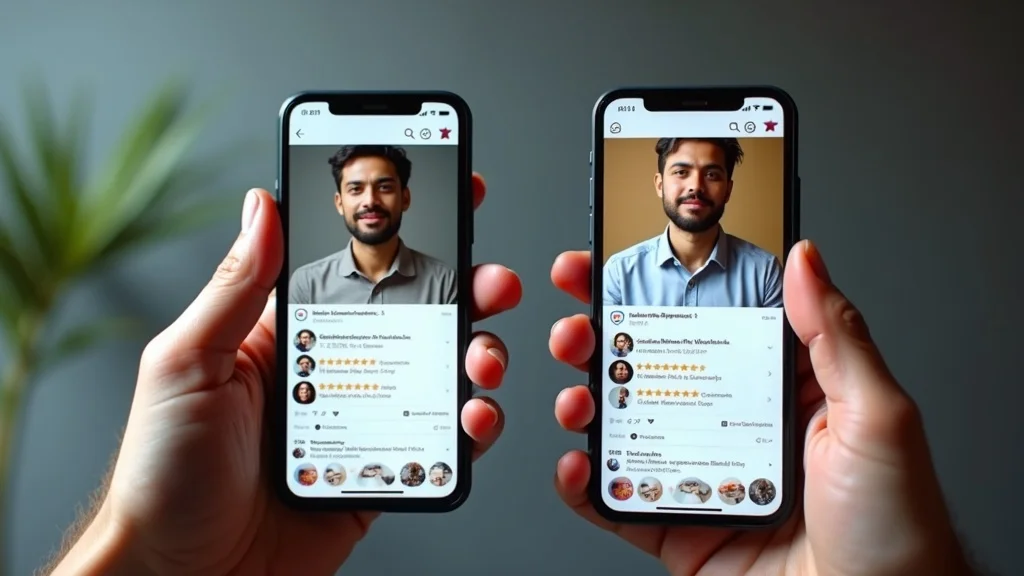
“After plugging basic listing errors and setting automated replies, our booked job inquiries jumped 48%—and reviews were up 30% in just two months.” (St. Louis kitchen remodeler)
This St. Louis contractor went from sparse, outdated profile content to fully optimized in one sprint. Cleaning up duplicate listings, updating business hours and description, and using candid team photos made the business easier to find, more inviting to call, and faster to respond. That translated over two months to a near-doubling of inbound job requests—and a lasting boost to local rank and review score.
The story repeats across categories and regions. Optimizing your Google Business Profile isn’t a “set-and-forget” move—it delivers compounding results and measurable growth when done as part of a reliable, systemized process.
Simple Sprint Plan for Google Business Profile Optimization
- Diagnose: Audit your profile for NAP, categories, photos, and reviews.
- Plan: Prioritize fixes with the biggest impact.
- Act: Update info, enable messages, add posts.
- Monitor: Set review and response reminders.
- Improve: Log changes and refine next month.
Follow this sequence as a monthly sprint. The process works whether you’re solo or have a team. The secret isn’t tools—it’s discipline and consistency.
Owner’s Checklist: Google Business Profile Optimization for Local Service Leaders
- Confirm business info across all platforms
- Use consistent branding and business description
- Set notifications for new Google reviews and messages
- Assign team owners/admins for profile access
- Schedule posts in advance
- Track call and message data monthly
Print, share, or delegate this checklist as your “profile health” routine. A systemized approach to Google Business Profile Optimization builds reliability and keeps you one step ahead of the competition in local search and local ranking.
Advanced Tactics: Google Business Profile Optimization for Higher Local Rank

- Leverage Google Q&A with proactive FAQs
- Add local service highlights (e.g., COVID protocols, AI/voice chat enabled)
- Use call tracking to identify speed-to-lead leaks
- Integrate booking links and service menus
Once the basics are running smoothly, tackle higher-order optimization. Posting answers to common questions proactively boosts engagement and provides Answer Engine Optimization (AEO) benefits—making your profile the go-to source in relevant searches. Listing advanced attributes like “AI voicemail” or “after-hours chat available” make you stand out and reduce lost leads to off-hours seekers.
Add UTM tags, call tracking, and Google’s booking links to tie lead tracking directly to your profile. Over time, this data uncovers fresh “leaks” and allows you to refine conversions and win the “speed-to-lead” race.
See tips in action: How rapid review replies and Google Messages transform lead flow and new job bookings.
Key Metrics: How to Measure the Impact of Google Business Profile Optimization

- Calls and messages from profile
- New reviews and average star rating
- Photo and post interactions
- Local search ranking improvements
- Time-to-response and booked job conversion rate
Effective Google Business Profile Optimization is reflected in rising calls and direct messages. Tracking new reviews, star ratings, and engagement with photos and posts reveals whether your profile is “working harder” each month.
For best results, document your baseline performance and key changes. A monthly review of ranking, lead volume, and speed-to-lead stats will build proof (and provide strong justification for any future investment in optimization services).
What Good Looks Like: AEO (Answer Engine Optimization) and Local Ranking Through Google Business Profile
- Structured Q&A for Google My Business Profile
- Conversion-focused posts with service-specific answers
- Using AI/voice to capture and convert leads
Modern profiles gain a “local edge” by anticipating and answering the most common questions—turning your Google Business Profile into a local Q&A hub. Combine this with weekly service posts and smart use of chat or voice assistants to outpace less responsive competitors and lock in higher local search ranking.
Whether you’re using an in-house CRM, practical AI tools, or an external optimization service, deliver consistent, conversion-driven answers. That’s what wins in today’s Google-driven market.
People Also Ask: How do I optimize my Google Business Profile?
To optimize your Google Business Profile, verify your business, ensure all information is accurate and complete, regularly add photos and posts, respond quickly to reviews and messages, and monitor for duplicate or outdated profiles. Prioritize speed-to-lead and clear, conversion-focused content for the best impact.
People Also Ask: How to optimize Google Business Profile 2025?
Optimize your Google Business Profile in 2025 by integrating AI tools for messaging, maintaining updated service offerings, leveraging new Google profile features (like booking and chat), adding answers to frequently asked questions, and continuing consistent, high-quality updates and responses.
People Also Ask: How to rank GMB fast?
To rank GMB (Google My Business) fast, ensure profile completeness, use accurate categories and detailed business descriptions, rapidly collect 5-star reviews, post offers weekly, respond to all messages within hours, and maintain consistent NAP info across the web.
People Also Ask: Is SEO worth it anymore?
SEO, and especially Google Business Profile Optimization, is more than worth it for local service businesses—it’s necessary. Local SEO tactics continue to drive booked jobs, improved visibility, and higher conversion, especially as AI-driven and voice searches rise.
Common FAQs on Google Business Profile Optimization
- How often should I update my Google Business Profile? — Update at least monthly, or immediately after key changes to business info, services, or staff. Timely updates improve trust and local ranking.
- What happens if my business info changes? — Log in and update your profile across all platforms—Google, website, directories—to keep NAP consistent and avoid lost leads or confusion.
- Can I update Google Business Profile on mobile? — Yes, Google’s Business Profile Manager app allows you to update info, respond to reviews, and post photos from your smartphone.
- Should I hire an optimization service or do it myself? — DIY if you have the time and know-how; partner with an experienced optimization service for systemized improvement and ongoing sprints, especially if you manage multiple locations.”
- Does optimizing Google Business Profile help with Google Ads? — Absolutely. A strong profile improves your credibility and visibility in both paid ads and local search results, amplifying every dollar spent.
Key Takeaways: Why Google Business Profile Optimization is the Foundation for Local Service Growth
- Most losses aren’t to bigger ads—they’re to leaky systems and slow follow-up
- Google Business Profile Optimization compounds over time, delivering more leads month after month
- Your path forward rests on strategy, not hype: verify, update, respond fast, measure, and keep improving
Ready to Structure Your System for Conversion?
Claim your free SEO Audit Report https://changescapeweb.com/seo-audit-from-changescape-web/