
Did you know that 76% of local Google searches lead to a visit within 24 hours, but nearly half of painters never fully complete their Google Business Profile—costing them quick, easy jobs they should have won? For local painting contractors, every moment spent waiting to respond or every missed detail in your online presence is a job lost to someone else
What You’ll Learn: Maximizing Google Business Profile Optimization for Painters
- The most common leaks that hurt painter leads and conversions
- A step-by-step approach to Google Business Profile Optimization for painters
- How Google Business Profile boosts local search and local SEO
- Best practices for painting contractors and painting businesses
- Simple frameworks with actionable next steps
The Leaky Bucket: Why Painters Struggle with Google Business Profile Optimization
“76% of consumers who search for a local business on Google visit within 24 hours, but less than half of painting businesses complete their Google Business Profile—costing them easy jobs.”
- Slow response to leads
- Incomplete business info and phone number errors
- Lack of compelling images or photos
- Underutilized features: Google Posts, Q&A, reviews
- Disjointed social media or website links

The “leaky bucket” is real and costly for painting contractors. Most painting businesses—especially those in competitive markets—have a gap between the jobs they could win and the jobs they actually book. Every slow response to a new lead, incorrect phone number, or missing detail in your Google Business Profile chips away at potential growth. Local SEO isn’t just about ranking high in search results; it’s about operational reliability. When potential clients search for a painting service, they expect immediate answers, compelling images, and clear calls—not confusion or outdated information.
If your phone number is wrong, or if you’re slow to reply, those highly qualified leads simply bounce to a competitor that answers first. Beyond that, incomplete or neglected listings often miss new Google features—like Posts, Q&A, images, and reviews—that drive conversions for painting companies intent on maximizing every opportunity in their local market. For the pragmatic contractor, plugging these “leaks” starts with diagnosis and continues through a disciplined, step-by-step system you can trust.
Diagnosing Your Painting Contractor Google Business Profile: Priorities for Local SEO
- Profile completeness check for painting contractors
- Addressing outdated business information and phone number accuracy
- Mapping service areas for local SEO relevance
- Benchmarking current search performance vs. painting companies in your market
Is your business information correct? Is your phone number typo-free and front and center? Are you showing the right service radius for your local SEO—or sending leads to another state? These aren’t just small details; they are ranking factors that move the needle in local search
Are you visible in your true target neighborhoods and cities? Benchmark yourself against direct competitors—other painting companies with strong reviews, photos, and business info—using “incognito” Google searches and tools like BrightLocal or Whitespark
Google Business Profile Optimization for Painters: Step-by-Step System
- Claim and verify your Google Business Profile
- Audit your business info for accuracy
- Add service areas and key painting service categories
- Upload quality images of recent jobs and teams
- Implement Google Posts for updates and promos
- Invite reviews and respond promptly
- Monitor and correct Google Maps presence

Mastering Google Business Profile Optimization for painters isn’t about flashy tools—it’s the disciplined sequence, done right every time. First, claim and verify your business profile directly through Google Business. Verification unlocks the full suite of tools and lets you control how your painting company appears across Google Search and Google Maps. Next, audit each detail: your business information, service area, phone number, and contact details.
Don’t underestimate service categories—they define which painting services (interior, exterior, commercial) you show for in local search and Google Maps. High-quality, current images perform double duty: they help you stand out in search results and pre-sell your professionalism to potential clients. Once you’re armed with images, use Google Posts to share before-and-after jobs, seasonal promos, or awards. Ask happy customers to leave reviews and always reply quickly to boost engagement and trust. Finally, regularly check your Google Maps listing and fix errors quickly: wrong address minutes, typos, or duplicate listings all send valuable leads leaking away. Speed, accuracy, and consistency build the foundation of an omnichannel growth engine—in Albuquerque, Las Vegas, or any market.
Short video walkthrough of a painting contractor optimizing their Google Business Profile—demonstrating profile updates, uploading job images, and responding to customer reviews. Emphasize screen actions, user intent, and clear UI visuals, captured in a real painter’s workspace.
Real-World Example: Speed-to-Lead and Google My Business Success
- Case study walk-through: Albuquerque painting contractor improved booked jobs by 36% after profile revamp
- Before/after: visibility, review volume, and response time metrics
A recent project with an Albuquerque-based painting contractor highlights the impact of getting these details right. Before the profile overhaul, the business missed up to 48% of inbound leads—mainly due to outdated business info and slow responses. After plugging the leaks and tightening up speed-to-lead processes, booked jobs surged 36% within three months. Faster replies, updated business profile information, and candid customer responses turned a leaky profile into a growth engine. The result: more calls, more qualified leads, and higher search engine visibility—proof that durable growth comes from disciplined systems, not hype or spammy tricks.
Painting Contractor Google Business Profile: Content, Images, and Reviews
- Choosing images for local search & conversion
- Structuring business description with painting keywords
- Responding to reviews to boost local SEO
- Making services clear (interior, exterior, commercial painting)
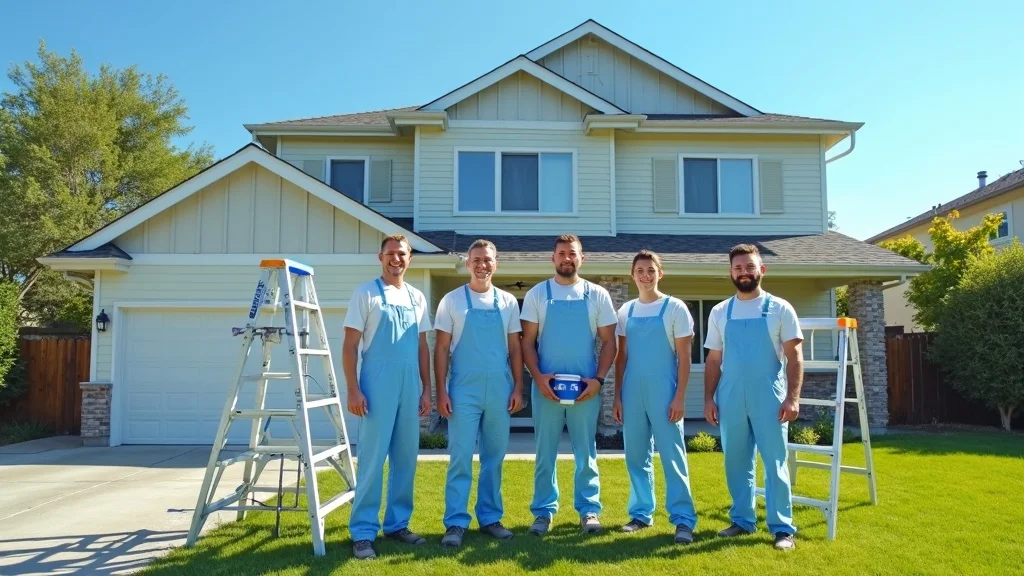
Your business profile content and images are your silent sales team. The right local photos—think freshly painted homes, in-uniform teams at work, and smiling clients—make your Google Business Profile irresistible. For painting contractors, visuals outperform text every time in search results. But don’t let descriptions slide: integrate painting-specific keywords in sentences that speak to local searchers (e.g., “Albuquerque exterior home painting specialists” or “St. Louis commercial painting experts”). Clearly list all painting services, service areas, and unique selling points.
When it comes to reviews, volume and responsiveness matter. Ask every satisfied client to leave a review, then reply—personally and promptly. Google’s algorithm interprets active, conversational profiles as “better” local businesses, which lifts you in Maps and search engines. Over time, these conversion-focused updates and consistent engagement turn your listing into an asset that continuously feeds your job pipeline and establishes trust at first glance.
Table: Google Business Profile Optimization Checklist for Painters
| Google Posts | Boosts recency & engagement | Weekly updates, promos, service examples |
|---|---|---|
| Accurate Phone Number & Info | Improves contact conversion rate | Monthly audit for typos & outdated details |
| Service Areas Set Properly | Targets high-intent local search | Review quarterly for expansion |
| Quality Images | Increases clicks & inquiries | Upload every new project |
| Reviews & Replies | Builds local trust, ranking factor | Request after every job, reply within 24 hours |
This quick walkthrough video highlights which Google My Business features painting contractors should prioritize: adding painting services, using Q&A to answer customer queries, and linking out to your website or social media to ensure a seamless online experience.
Walkthrough: Google My Business Features for Painters
- Listing and managing painting services
- Using Q&A and Messaging for speed-to-lead
- Linking to your website and social media

Your Google My Business (now officially called Google Business Profile) is packed with tools that drive results for painting businesses aiming to dominate local search. Prioritize the painting services section: make sure every line item—interior painting, siding, deck refinishing, commercial painting—matches the terms your clients use in Google Search. Use the Q&A section to preemptively address common customer concerns and activate Messaging so you can reply instantly to high-quality leads.
Don’t overlook your social media and website links—Google considers the consistency of your online presence as a ranking signal. Whenever you add a promotion, blog post, or finished project, ensure it syncs across platforms. In the end, the painting companies that win are those who turn scattered, fragmented info into a system that moves fast and keeps every conversion pathway open.
Action Sequence: Painting Contractor Business Profile Changes That Move the Needle
- Prioritize phone number accuracy and responsiveness
- Enable messaging and set fast reply notifications
- Schedule triage sprints for profile updates
- Integrate practical AI (voice/chat) where feasible
Ready to plug major leaks? Start with your phone number—one digit off can bleed thousands in lost jobs for painting contractors
Framing the Opportunity: Local Search, Google Maps, and Your Painting Business
- How buyers are searching for painting services in your market
- Why Google My Business is core to omnichannel growth
- Metrics that matter: calls, map visits, qualified leads

Are you showing there? Most painting contractors who aren’t see far fewer inquiries, as clients trust top-ranking Google business profiles with strong reviews and local images
Track the metrics that grow your painting business: qualified phone calls, Google Maps directions, review volume, and visibility in Google Search results. Remember: Google Business Profile isn’t a “set it and forget it” asset. It’s a living system that, when maintained as part of your marketing sprints, compounding results and puts you front-and-center every time a local client needs a trusted painter.
Systems, Not Hype: Plugging Leaks for Painting Companies With Strategy-First Local SEO
- Consistency across business listings and social media
- Reputation management as ongoing sprint, not a one-time fix
- Turning reviews, images, and Google Posts into conversions

Painting companies that rely on ad-hoc marketing or “magic bullet” tools often end up disappointed: churn-and-burn agencies, inconsistent results, and no meaningful growth. Instead, lean into a strategy-first, systems-always model. Align your business information and social media across every listing and citation. Treat reputation management as a recurring sprint—request reviews after every project, update your gallery with new photos, and set aside biweekly time to check Google Posts or correct business info.
The reward? A calm, steady pipeline of qualified jobs, not just random inquiry spikes
PAA: How do I put my painting business on Google?
Answer: How to Put Your Painting Business on Google
- Step 1: Visit google.com/business and sign in
- Step 2: Enter your painting company business information
- Step 3: Verify your business profile via mail, phone, or email
- Step 4: Complete all relevant details including services and service area
- Step 5: Add images and invite your first customer reviews
PAA: How much should you pay a painter per day?
Answer: Typical Daily Rates for Painters
- Varies by region, experience, and job complexity
- $150-500 per day is typical for skilled painting contractors in most U.S. markets
- Rates for commercial and specialized jobs may exceed this range
- Factor in materials, equipment, and travel for full cost assessment

PAA: How do I optimize your Google My Business profile?
Answer: Optimizing Your Google My Business Profile as a Painting Contractor
- Keep business information and phone number accurate
- Add high-quality images relevant to painting services
- Solicit and reply to Google reviews regularly
- Use Google Posts for offers, events, and project highlights
- Monitor Google Maps and local search rankings monthly
PAA: Is there a high demand for painters?
Answer: High Demand for Painters in Local Markets
- Painting businesses are in steady demand for residential and commercial work
- Seasonal peaks: Spring and summer for exteriors; interiors year-round
- Local search trends show consistent need in most U.S. metro areas

Google Business Profile Optimization for Painters: Key Takeaways
- Speed-to-lead is the #1 win: fast responses convert leads into jobs
- Complete, up-to-date business profile powers local search visibility
- Google reviews unlock trust and rankings for painting services
- Consistent, conversion-focused updates drive durable growth
FAQs on Google Business Profile Optimization for Painters
- What is the difference between Google My Business and Google Business Profile?
Google My Business was rebranded as Google Business Profile in 2021. All features and tools are now under the new name, but the function remains the same: managing your online presence across Google Search and Google Maps. - How often should I update images and posts as a painting company?
Aim for at least one new image per project and one post per week. Fresh content signals activity to both potential clients and Google’s search engine ranking algorithms. - What details matter most in the business info section?
Double-check legal business name, accurate phone number, address, website, painting services, service area, and hours. These basics are the backbone of a fully optimized Google Business Profile. - How do reviews impact my ranking as a painting contractor?
Volume, star rating, and speed of replies to customer reviews are all factors. Engaged, conversational profiles with recent reviews are favored in local search and Google Maps listings.
Plug Your Leaky Bucket and Build a Growth Engine With Google Business Profile Optimization for Painters
- We help painting contractors and companies prioritize the right steps in Google Business Profile Optimization
- Systems-first, responsive approach—no hype, just measurable progress
- Ready to plug the leaks in your marketing and book more jobs? Claim your free SEO Audit
Conclusion: Plug the leaks, build a reliable system, and turn your Google Business Profile into a real growth engine for your painting business. For speed-to-lead and compounding results, strategy-first always wins.